 Vestiflow
 Guide
Vestiflow is a Chrome extension that adds a panel inside Vinted to help you sell faster. It relists, edits many listings at once, sends offers to people who favourite your items and copies your listings to Wallapop and Depop.
- Works on Vinted in every European country (vinted.co.uk, .fr, .de, .it, .es, .nl, .pt…).
- Available in English, Spanish, French, Italian, German and Dutch.
- Everything happens in your browser: your listings and messages are not sent to any server.
- You start every action yourself, at a fixed pace and within daily limits that protect your account.
Free and Pro
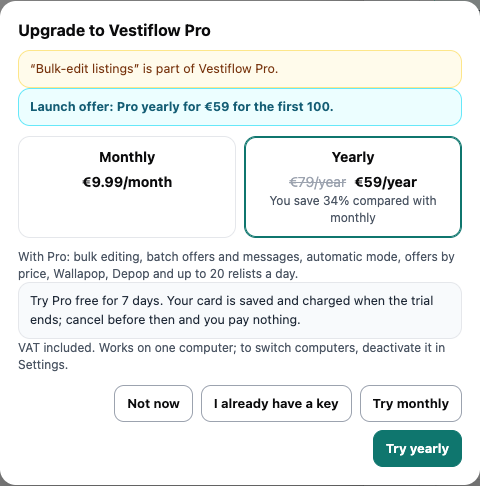
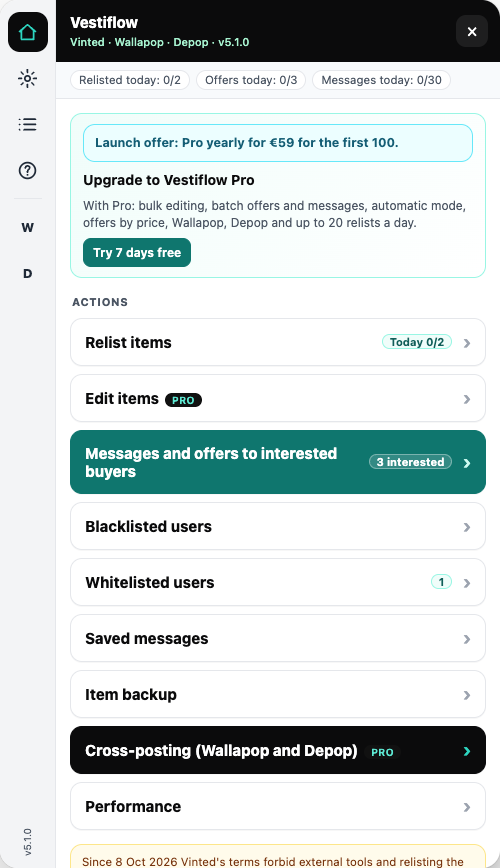
The free version lets you try Vestiflow. Pro unlocks everything and more relists per day.
| Feature | Free | Pro |
|---|---|---|
| Relist listings | 2 a day | Up to 20 a day (your choice) |
| Offers to people who gave ♥ | One at a time, 3 a day | In batches |
| Automatic mode | — | Yes |
| Offers by price range | — | Yes |
| Bulk editing (price, condition, hide, drafts, photos, delete) | — | Yes |
| Listing on Wallapop and Depop | — | Yes |
| Saved messages, block and allow lists, backups, 6 languages | Yes | Yes |
- Pro monthly: €12.99 a month. Pro yearly: €115.99 a year (launch offer: 20% off your first payment for the first 100 subscribers, until 30 December 2026). Plus VAT where it applies.
- 7-day free trial. Your card is saved when the trial starts. If you don't cancel, it is charged when the trial ends; if you cancel before, you pay nothing.
- One licence works on one computer (one Chrome), with all your Vinted accounts on it.
When you press a Pro feature in the free version, Vestiflow shows the plans and the current offer.
Install
- Open the Vestiflow page in the Chrome Web Store and press “Add to Chrome”.
- Click the puzzle-piece icon next to the address bar and pin Vestiflow.
- Go to Vinted, log in and press the black “Vestiflow” button at the bottom right.
- The first time, read the notice about Vinted's terms and press “I have read the notice”.
If Vinted was already open, reload the page (F5) after installing.
Activate Pro
- Press “Try 7 days free” or “See plans” and complete the checkout.
- You get an email with your licence key.
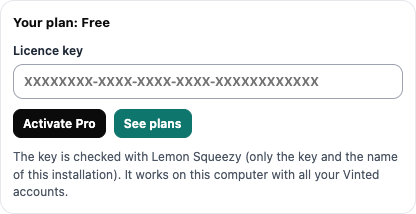
- In Vestiflow → Settings → “Your plan”, paste the key and press “Activate Pro”.
- You will see “Your plan: Pro monthly” or “Pro yearly”.
Move to another computer
On the old computer press “Use on another computer”. That frees the key and you can activate it on the new one. If you no longer have the old computer, email us and we will free it.
If your subscription ends
Vestiflow checks the key every 12 hours. If you cancel or a payment fails, it goes back to the free version and turns automatic mode off. Without internet, Pro keeps working for up to 7 days.
The panel
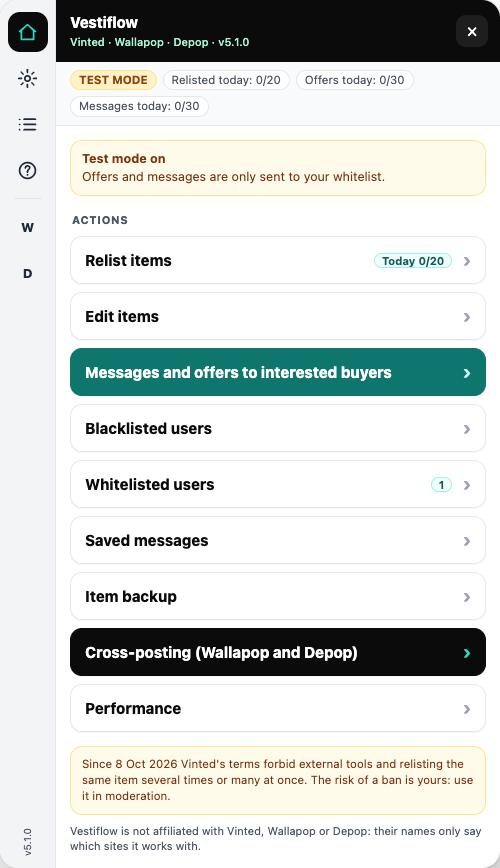
- Left bar: Home, Settings, Log, Help, and the “W” (Wallapop) and “D” (Depop) shortcuts. The version is at the bottom.
- Top: today's counters (relists, offers, messages) and the automatic mode status.
- Actions always work the same way: 1 Choose → 2 Options → Start.
- Test mode (in “Whitelisted users”): offers and messages only go to your allow list. Use it with a second account to try things safely.
Relisting
- “Relist items” → tick listings (or “Select all”).
- “Next”: choose the pace (one every 15 s, 30 s, 1 min…) and what to do with listings that have favourites.
- “Start”. You'll see progress with Pause, Resume and Cancel.
The original is only deleted once Vinted confirms the copy exists. If a listing has favourites, Vestiflow warns you: cutting the price by 5% or more notifies those people without losing them.
Since 8 October 2026 Vinted's terms forbid relisting the same item many times or many at once. Do it in moderation.
Bulk editing (Pro)
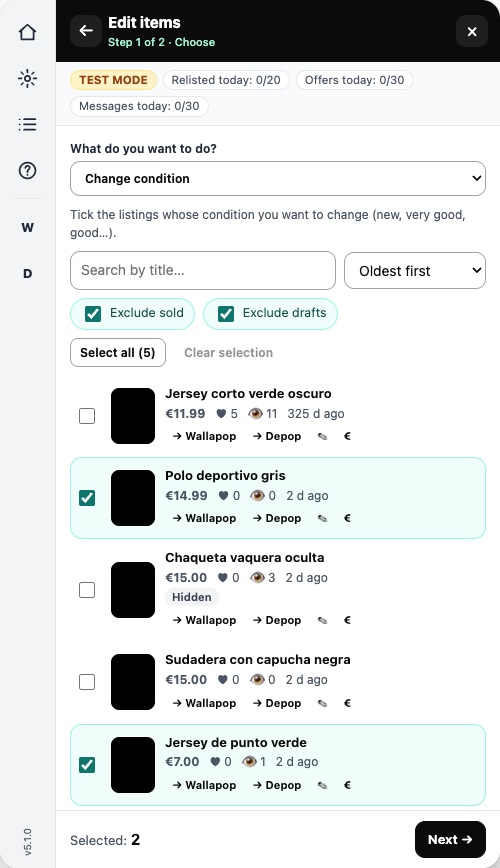
At the top of the list, “What do you want to do?”:
- Price (−%, −€, +%, +€, fixed amount), title and description, with a preview.
- Change the condition (new with tags, new without tags, very good, good, satisfactory).
- Hide and show listings.
- Publish drafts.
- Restore photos from a backup, or replace them with the ones in its folder.
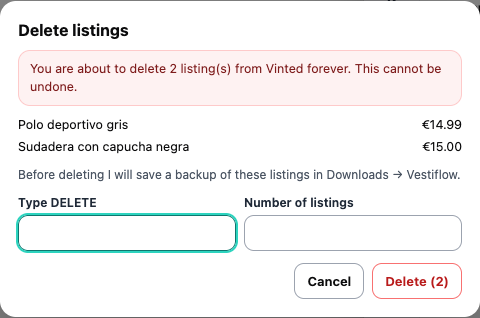
- Delete: you type DELETE and the number, and a backup is always saved first.
Offers and messages to people who gave ♥
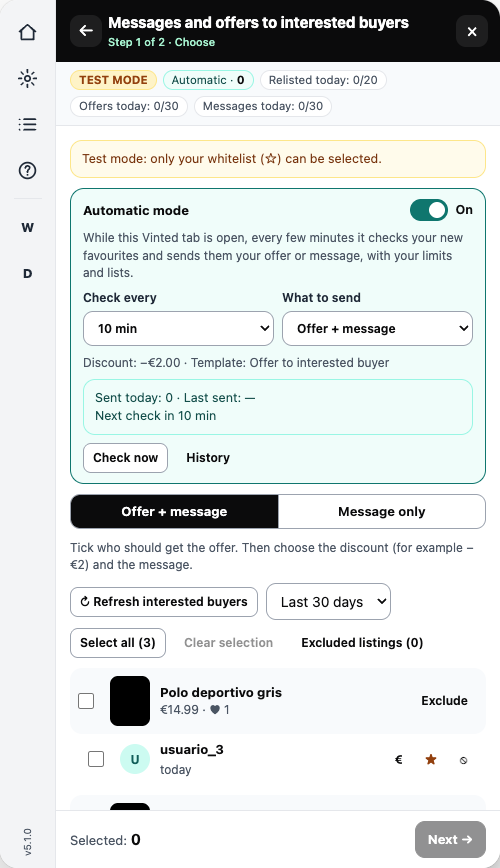
- “Messages and offers to interested buyers”. At the top, “Offer + message” or “Message only”.
- Tick people or a whole item.
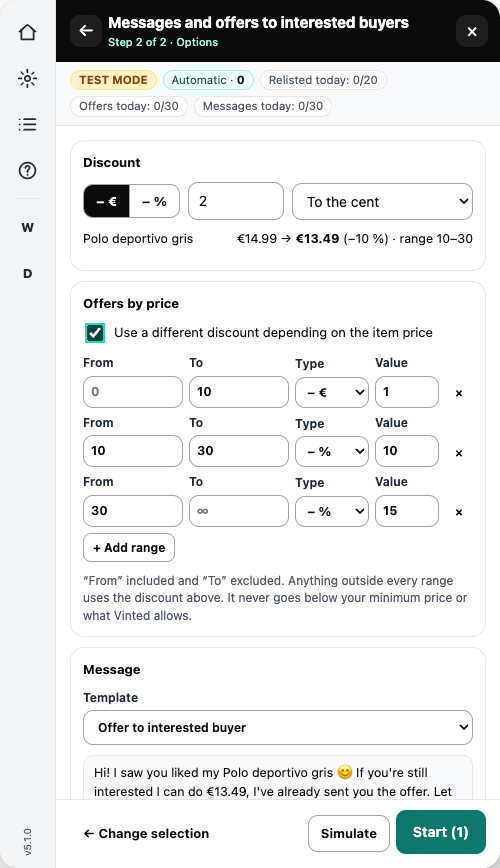
- “Next”: discount (−€2, −10%…) or “Offers by price”, and the template.
- “Simulate” shows exactly what will be sent. Then “Start”.
- Never two offers to the same person for the same item. It is recorded permanently in your browser. You can only repeat one by hand from the conversation, ticking “Force”.
- Never below your minimum price or what Vinted allows.
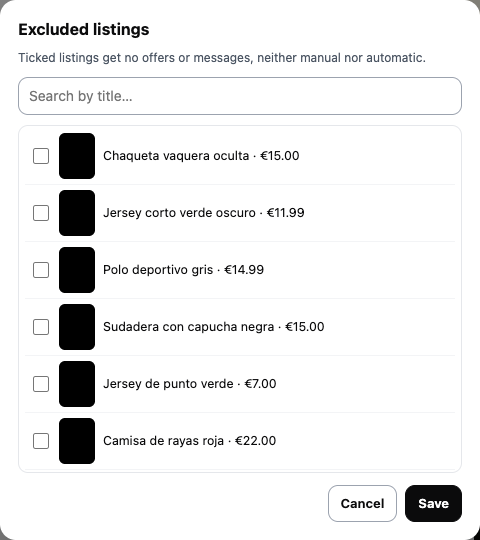
- Excluded listings never receive offers or messages.
- In the free version: the “€” button next to each person, one at a time (3 a day).
Automatic mode (Pro)
While your Vinted tab is open, every 5, 10, 15 or 30 minutes it checks your new favourites and sends your offer or message, within your limits, lists, test mode and excluded listings.
- It only handles favourites that arrive after you switch it on.
- If Vinted asks for a captcha or limits requests, it stops and continues when it can.
- If Vinted blocks a message or you switch accounts, it turns off and tells you why.
- “Check now” and “History” are in the same box.
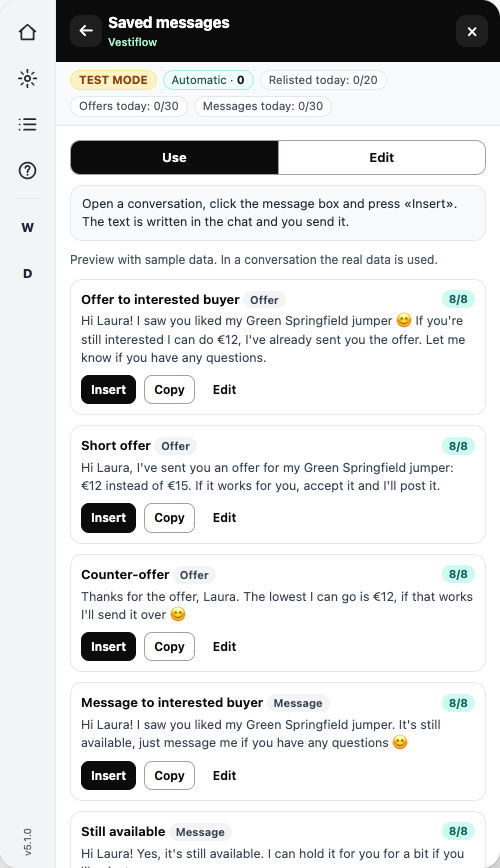
Saved messages
Ready-made templates that sound like a person, in your language. Two modes:
- Use: open a conversation, click the message box and press “Insert”. The text is typed in and you send it.
- Edit: create, duplicate, delete, or make a template from what you already typed.
Variables: {nombre} (name, only if the username looks like a real name), {titulo} (title), {mi_titulo} (short title), {precio} (price), {precio_oferta} (offer price), {ahorro} (saving) and {descuento} (discount). The 8/8 score shows whether the text is clear, natural and free of contact details.
Wallapop and Depop (Pro)
- Log in to Wallapop or Depop in Chrome (only the first time).
- On a listing, “→ Wallapop” or “→ Depop”. For several, the “W” and “D” buttons on the left.
- There, Vestiflow panel → “Fill in”: photos, title, description, category, condition, size, colour, brand and price.
- Check it, choose shipping and press publish yourself.
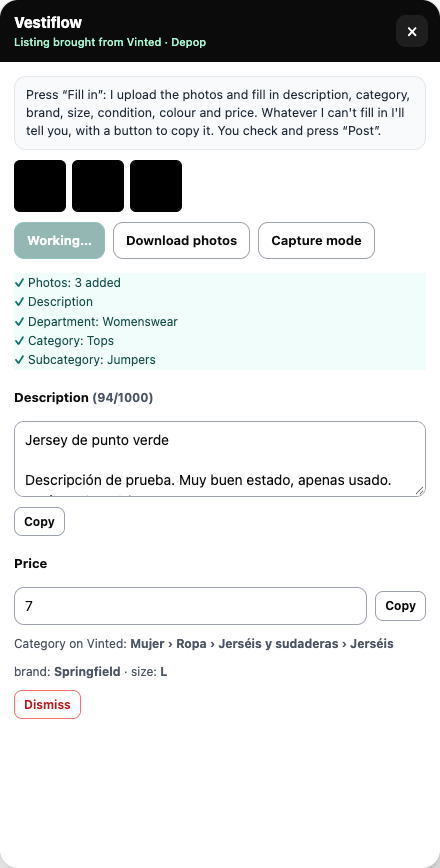
If a field can't be filled in, it appears with “Copy” so you can paste it. If the item sells on Vinted, Vestiflow reminds you to remove it from Wallapop or Depop.
Backups
“Item backup” → tick → “Create backup”. It is saved in Downloads → Vestiflow: a file with your listings (JSON and CSV for Excel) and their photos. With “Restore from a backup” you can republish a deleted listing.
Settings and languages
- Language: the panel and the templates you haven't changed switch to the chosen language.
- Daily limits and pace for relists, offers and messages.
- Price rounding: to the cent, ending in .90, multiples of 0.50 or whole euros.
- Check compatibility: only reads, and tells you if Vinted has changed something.
If something fails
- Open “See details” on the task: it shows exactly what Vinted answered.
- Log (list icon on the left) → “Copy log” and send it to us.
- If a batch stops by itself:
- captcha: solve it on Vinted and press “Done”;
- too many requests (429): wait the minutes shown;
- session expired: log in again, reload (F5) and press “Resume”.
- Don't use another Vinted bot at the same time.
Privacy
- Your Vinted listings, messages and data never leave your browser.
- No third-party ads, no tracking, no analytics.
- Only your licence key is sent to Gumroad, our payment provider, to check Pro.
FAQ
- Can I use it with several Vinted accounts? Yes, on the same computer.
- And on two computers? Each licence works on one. To move it, press “Use on another computer” on the old one and write to us: we free up the key and you activate it on the new one.
- When am I charged? When the 7-day trial ends, then every month or year. Cancel anytime from your purchase email.
- Does it follow or like users in bulk? No. Vinted detects it easily and it is spam for the people who receive it.
- Can my account be blocked? Vinted's terms forbid external tools. Vestiflow uses a fixed pace and limits, but the risk remains: use it in moderation.